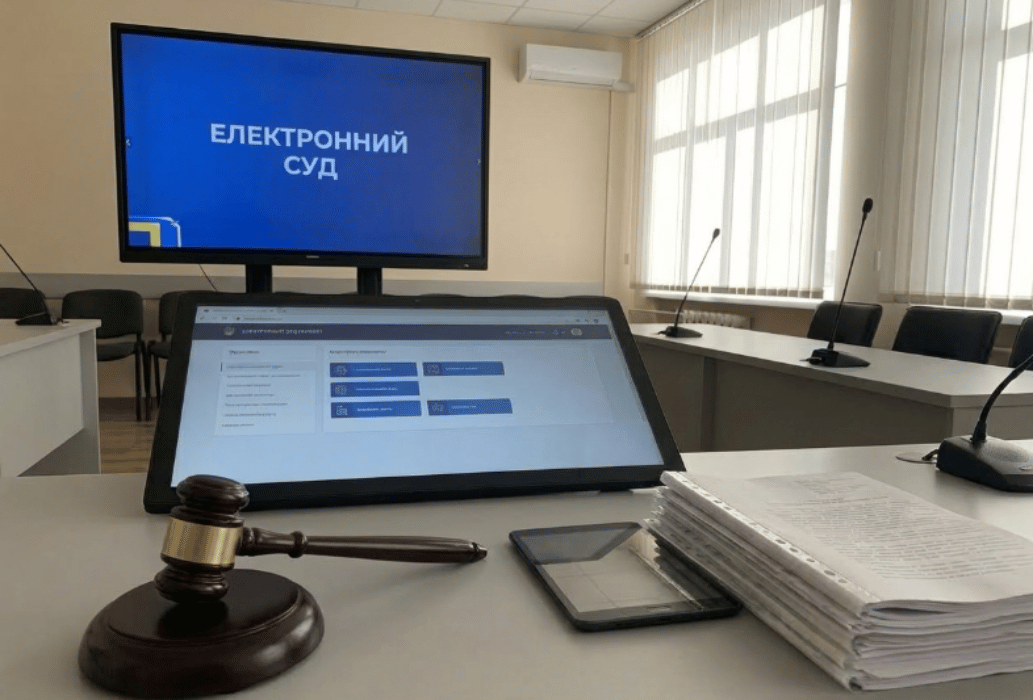
The Electronic Court makes it possible to submit all documents in electronic format: to prepare statements of claim, complaints, and any procedural documents, and to send them not only to the court but also to other parties in the case.


to the lead lawyer
The Electronic Court simplifies access to justice for Ukrainian citizens who are not legal professionals.
The Electronic Court is a system that allows users to exchange (receive, submit, and send) any procedural documents during court proceedings online, and to exercise the rights and obligations of a participant in a case in digital form. The Electronic Court website has an intuitive interface, so any citizen can understand which applications to submit and how to fully exercise their rights and obligations. Despite the convenience of the service, the company “DE-JURE” still recommends consulting professionals to increase the chances of obtaining a favorable court decision.
Any citizen or legal entity, regardless of ownership form or subordination, may file a statement of claim, as well as appeals and cassation complaints through the Electronic Court. The procedure of electronic justice is regulated by the Regulation on the procedure for the functioning of separate subsystems (modules) of the Unified Judicial Information and Telecommunication System, which includes the Electronic Court, the Electronic Cabinet, and video conferencing subsystems.
Any person registered in the Electronic Court system can file a lawsuit online. To file a claim through the Electronic Court, you need:
In addition, you need to contact postal service operators to send correspondence to other participants in the case (if they are not registered in the Electronic Court system).
Registration in the Electronic Court requires only a digital signature (most commonly a QES is used). Authorization is carried out either using a QES via online banking or through the Diia platform. During registration, you also need to provide an email address, physical address, and phone number.
In 2026, you can file a lawsuit through the Electronic Court in all areas of law: customs, criminal, commercial, civil, and others. The interface helps users determine the appropriate category, and then the system offers templates for the required application. Based on these templates, you can prepare and submit appeals, motions, and statements of claim through the Electronic Court.
Documents required for the Electronic Court can be uploaded in any format. However, lawyers most often choose PDF for textual documents.
By registering in the Electronic Court, a person should understand that they are not only gaining tools to exercise their rights but also certain obligations. In particular, any application submitted against them as a defendant will be sent to their Electronic Court personal account. In simple terms, shortly after registration, an individual may start receiving many notifications related to different cases, incoming document registration cards, and case distribution records, without fully understanding how to manage them.
However, there are specific deadlines for appealing court decisions. For example, if a person receives a civil court decision on divorce online via the Electronic Court, they have 30 days to appeal, counted from the moment they receive a copy of the full text of the decision in their electronic court account.
Even when using professional legal services, it is very difficult to justify a missed appeal deadline, since one would need to explain why the procedural time limit was missed after the decision was delivered to the Electronic Court, where all formal requirements are considered fulfilled.
Step-by-step instructions on how to file a lawsuit through the Electronic Court can be found on YouTube. It is possible to appeal court decisions regarding child support both in court and through the Electronic Court. However, if a person has filed a claim online through the court system, all further documents must also be submitted through the Electronic Court, unless the court grants permission to submit documents, motions, and applications in paper form.
Although the enforcement writ is delivered to the personal electronic cabinet, it is advisable to also obtain the original document from the court that issued the decision. Afterwards, one should wait until the court decision enters into legal force, submit an application for the issuance of the enforcement writ, and then submit it for enforcement in paper form. This helps avoid unnecessary complications in dealing with enforcement officers.
A response is a written objection by the defendant in a case, in which they argue that the claims stated by the plaintiff are unfounded or inaccurate. To submit a response through the Electronic Court, you need to:
The procedure for submitting an appeal through the Electronic Court is the same as the procedure for filing a response and other procedural documents. In the Electronic Court, a person may be represented by a lawyer acting on the basis of a power of attorney, warrant, or mandate as a representative (defender) on behalf of another person. In such cases, the lawyer can see all case information in the electronic lawyer’s cabinet and file the appeal on behalf of the person.
The court fee can be paid in several ways. First, you can find the website of the court that will hear the case and go to the “Court Fee” section. There you will find the categories of cases, the applicable rates charged for filing different procedural documents, as well as the payment details for online banking transfers without commission. If the application is submitted through the Electronic Court, the stated amount should be multiplied by 0.8. Such a court fee is considered properly paid to the relevant court, and the payment receipt is uploaded as an attachment to the procedural document.
It is also possible to pay the fee directly through the Electronic Court (using systems such as EasyPay or UaPay), but in that case a commission is charged. In addition, when paying through the Electronic Court, the user must manually enter the amount to be paid, as the 20% discount is not calculated automatically.
Any citizen can use the Electronic Court and submit claims online. However, legal consultation can significantly simplify the process. A lawyer from “DE-JURE” can help you understand the specifics of electronic court proceedings, prepare the necessary documents and evidence, and also represent the client’s interests in the Electronic Court, including participation in hearings via video conferencing.
A participant in proceedings can view the status of a case in the relevant menu of the Electronic Court. By clicking on a specific case, it is possible to view all procedural documents related to it. The same information is also available in the “Notifications” menu, although in this section the information is not sorted by individual cases.
The Electronic Court may leave a claim without movement due to procedural violations. For example, this can happen because of non-compliance with procedural requirements, incomplete claimant information, lack of evidence, or non-payment of the court fee.
If the Electronic Court is not functioning, procedural documents should be submitted as soon as possible. To do this, they must be printed along with all attachments, prepared in accordance with the requirements of the procedural code, and sent promptly via Ukrposhta as a registered (valued) letter with an inventory of enclosures to the court and to the other parties in the case.
Filing a lawsuit online offers a number of advantages. First of all, there is no need to visit the court in person, wait in line at the registry office, or obtain an incoming case number. Other benefits of the Electronic Court include:
Among the disadvantages, occasional technical issues in the system can be noted. In addition, court clerks and assistants do not always scan all documents and materials received in a case, so sometimes it is necessary to follow up with phone calls to ensure proper processing.
You should consult a lawyer whenever a legal issue arises. However, just like with a doctor, it is also reasonable to visit a lawyer once a year on a preventive basis.
An electronic signature is required for authorization and work in the Electronic Court. In most cases, a qualified electronic signature (QES) is needed to sign statements of claim and other procedural documents.
The court fees for individuals, legal entities, and sole proprietors are defined by the Law of Ukraine “On Court Fee.” When filing a claim through the Electronic Court, the court fee is reduced by 20%.
If documents have been submitted through the Electronic Court but the judge or panel cannot see them, the status can be easily checked. Each submitted application has a registration card containing the exact date and time of delivery to the court. There is also a dedicated feature confirming the fact that the document was sent. In this way, it can be demonstrated that the issue lies not with the Electronic Court system itself, but with the court registry office.
If a person has filed a claim and their requirements have been resolved out of court, they may withdraw the claim. To do so, it is necessary to submit a separate application requesting the return of the claim and that it be left without consideration.
| Legal consultation in Odesa regarding filing a lawsuit through the Electronic Court | 2000 UAH |
Leave a request and we will contact you in the near future


